Speak It, Make It Happen: No‑Code Routines Powered by Your Voice

Today we dive into Integrating Voice Assistants into No-Code Personal Routines, translating spoken intentions into reliable actions without scripts or syntax. Expect practical recipes, compassionate guardrails, and real stories that help you declutter decisions, save minutes, and keep momentum when your hands or attention are busy. You will learn to start small, scale safely, and keep everything humane, private, and surprisingly delightful.

Wake Up with Clarity

Craft a morning voice cue that turns on gentle lights, reads your first calendar event, and starts a focused playlist at low volume. Include fallbacks for weekends or travel days, so missed alarms never cascade into chaos. A single sentence can pivot your energy from sleepy uncertainty toward intentional momentum before your feet reach the floor.

Shift into Focus Without Touching a Thing

Use a concise phrase to enable Do Not Disturb, start a 50‑minute timer, log the session to a spreadsheet, and open ambient sounds. When interruptions knock, a repeatable vocal trigger protects your attention. By eliminating small switching costs, you compound deep work benefits that feel effortless rather than rigid or exhausting.

Choose Your Stack Without Writing Code
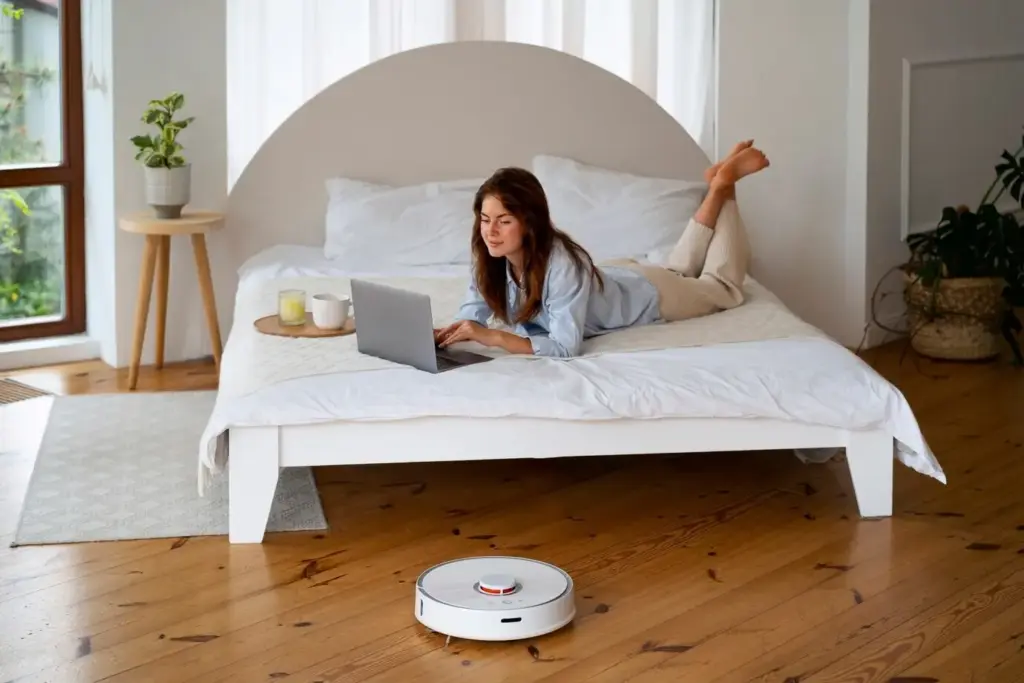
Match your devices, privacy comfort, and reliability needs with tools that respect your time. Built‑in assistants handle everyday triggers, while lightweight connectors bridge gaps between apps. Start with native features, then layer IFTTT, Zapier, or Make only when necessary. Keep ownership clear: you decide which accounts interact, and you can revoke access in seconds.

Alexa Routines and Community Blueprints

Build multi‑step flows from time, sensor, or voice triggers, then add announcements, smart home controls, and custom phrases that feel natural to say. Explore Blueprints for guided templates without complexity. Note limitations around third‑party actions and chain length, and design around them with clear confirmations so every utterance predictably lands where you intend.

Google Home and Assistant on Android

Leverage Home automations for room awareness, personal results for calendars and reminders, and Android shortcuts for app‑level control. Tie routines to presence or schedule without installing heavy software. Keep phrases short, avoid homophones, and review activity logs to refine recognition. Balance convenience with privacy by auditing permissions and disabling unneeded integrations regularly.

Siri Shortcuts and Personal Automations

Use Shortcuts to stitch apps together with intents, then trigger everything by name, time, location, or Focus mode. Combine dictation with parameters, like task titles or note destinations, to capture thoughts instantly. Personal Automations add context awareness, while confirmations prevent surprises. Keep names unique so Siri disambiguates reliably during busy, noisy moments.

Design Voice‑Friendly Interactions

{{SECTION_SUBTITLE}}

Say Less, Achieve More

Choose words with distinct sounds, avoid tongue twisters, and keep phrases similar to everyday speech. Replace “initiate productivity protocol” with “start focus.” Reduce optional words unless they add clarity. When an action needs extra details, gather them after the trigger using structured prompts, so initiation remains fast while accuracy stays dependable.

Handle Mishears with Grace

Expect occasional recognition slips and build friendly fallbacks. Offer a brief re‑prompt that confirms intent, like repeating the parsed task name before saving. Keep correction flows short and forgiving rather than technical. If silence persists, end gracefully with instructions for trying again. This reduces frustration and encourages confident, repeat use throughout the day.

Connect Apps and Data the Easy Way

Bridge your assistant to calendars, tasks, notes, and home devices without custom code. Start with official integrations, then extend reach using webhooks and no‑code platforms. Keep data flowing in one direction when possible to avoid loops. Test each step with realistic phrasing, and log outcomes so mismatches become opportunities for refinement, not confusion.

Protect Accounts and Restrict Exposure

Enable multi‑factor authentication, limit third‑party connections, and prune old skills or applets you no longer need. Set strong, unique passwords and store recovery codes securely. Prefer least‑privilege access for automations. If something feels intrusive, revoke immediately. Your sense of safety will determine whether you keep using voice confidently when it matters most.

Respect Shared Spaces and Quiet Hours

Create room‑specific routines and lower default volumes, especially at night. Mute microphones in sensitive areas and label speakers clearly by location. Encourage a shared vocabulary so commands are predictable for everyone. When in doubt, prioritize silent confirmations to phones over spoken replies, preserving harmony while still delivering dependable, visible results.

Consent for Kids, Elders, and Guests

Explain what devices can hear, what they record, and how to pause listening. Offer gentle, memorable cues and printed reminders near common areas. Provide opt‑out options and non‑voice alternatives. By centering comfort and clarity, you transform clever gadgets into supportive companions that respect boundaries and empower independence across different abilities and ages.

Measure, Iterate, and Share Your Wins

Automation is a living system. Track minutes saved, interruptions avoided, and failures recovered gracefully. Keep a tiny changelog, revisit wording monthly, and prune rarely used flows. Celebrate moments where a single sentence protected focus or preserved kindness. Then teach others, gather feedback, and evolve together as your needs, tools, and daily rhythms shift.
After each new routine, enable temporary notifications that summarize outcomes and invite a one‑tap rating. Capture notes about confusion, mishears, or slow steps. Convert patterns into edits, not complaints. By turning reflection into a habit, your voice commands grow sharper, friendlier, and more trustworthy with every ordinary day you live.
Instead of counting total automations, measure moments you reclaimed: an uninterrupted deep‑work block, a calmer bedtime, or fewer missed errands. Keep numbers honest with small samples and clear baselines. Use those insights to merge, simplify, or retire flows, ensuring your system stays useful, humane, and beautifully light on cognitive overhead.
Ruzavupanurativaxotixo
Privacy Overview

This website uses cookies so that we can provide you with the best user experience possible. Cookie information is stored in your browser and performs functions such as recognising you when you return to our website and helping our team to understand which sections of the website you find most interesting and useful.